
BROCLI CLOUD / MANAGEMENT DASHBOARD
Start the day with a clear view of orders.
Follow the operation centrally, then open the order or store that needs your attention.
See how it works ↗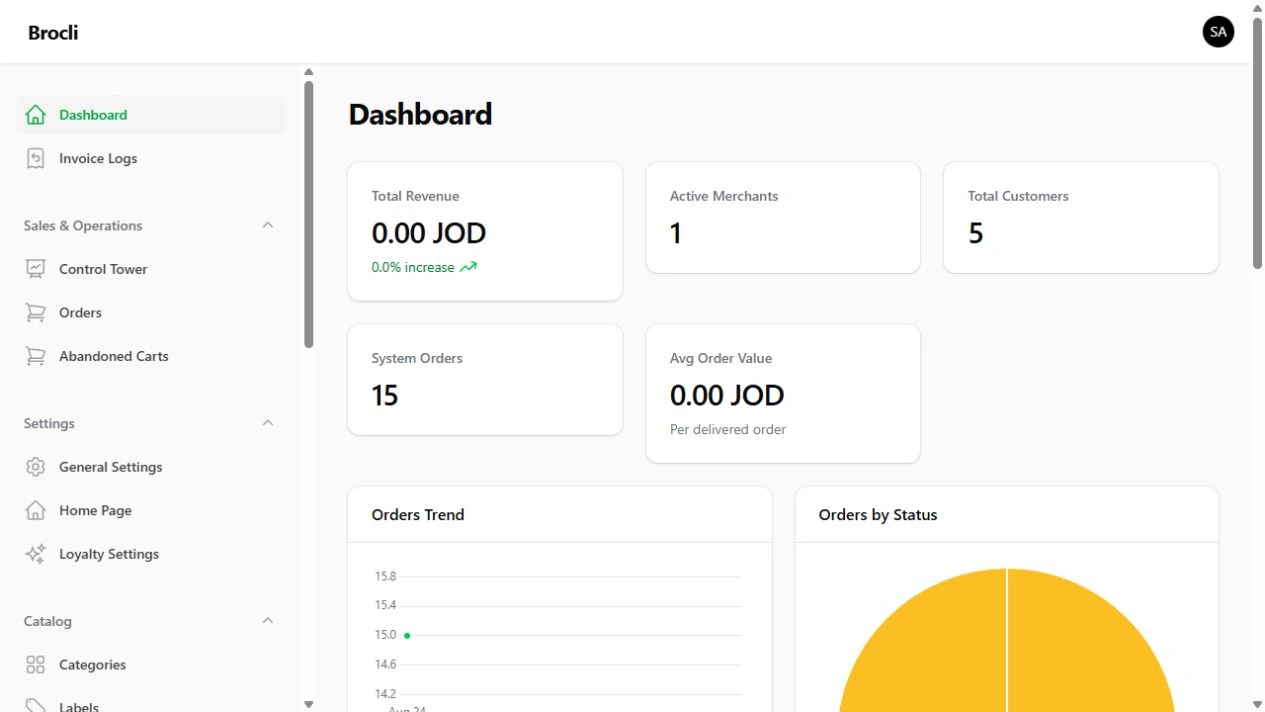
Find the order without a chain of calls
When team members work from different information, time disappears into status questions. The dashboard brings order details and status changes together for review.
Move from overview to detail
Review orders, customers and merchants, then inspect an order and its history. Activity indicators help the team understand what is happening without rebuilding a manual summary each time.
Manage customer tools where you work
Review customer information, wallets and points, and manage coupons and notifications. Choose tools that support your workflow rather than adding tasks for the sake of using features.
Understand what each metric means
Delivered-order revenue is different from profit after stock and operating costs. During the demonstration, we explain the meaning of the numbers and how they relate to your decisions.
Questions from store owners
Is there a separate store workspace?
Yes. A merchant workspace sits alongside central administration.
Can we review several stores?
The administration includes merchant and store information. We demonstrate how your branch structure would be organised.
Does revenue mean profit?
No. Product, fulfilment and operating costs must be considered separately.