
BROCLI CLOUD / SUPERMARKETS
Your supermarket on the customer’s phone. A clear order for your team.
Connect the catalogue, ordering, stock and delivery under your store’s name. Start with what your team can operate consistently.
See how it works ↗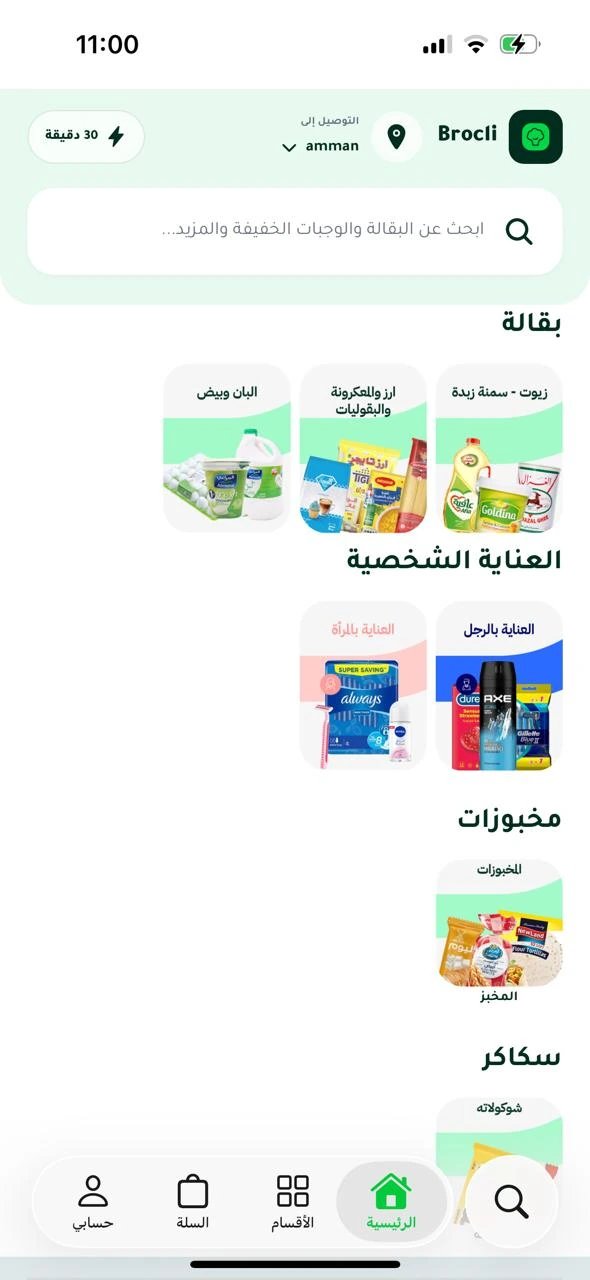
Every basket contains details that matter
A specific pack size, fresh produce and a requested quantity all affect fulfilment. Good grocery ordering begins with clear product information and a practical picking process.
Make products easier to choose
Arrange categories and maintain useful names, photos and prices. Customers build a basket rather than sending a list that somebody must enter again.
Connect the order to what the store can prepare
Review order details, quantities and stock movements. Set service areas and charges that reflect what your team can deliver. A selected launch catalogue can be easier to maintain than an immediate full-store rollout.
Agree how substitutions and weights work
When a product is unavailable, the team needs a clear rule: contact the customer, remove it or offer an approved alternative. Automatic substitution is not assumed. We also review and test final-weight pricing and settlement before promising a weighed-products workflow.
Questions from store owners
Must I convert the whole store to a dark store?
No. We can discuss preparing digital orders from a dedicated area inside your existing store.
Are weighed products automatic?
The required weight, pricing and settlement process must be reviewed and tested.
Can we launch with selected products?
Yes. Plan the starting catalogue around products your team can prepare and keep up to date.